AI kitchen design from a photo of your kitchen
Keep the layout, change the look. Upload a photo and see new cabinet fronts, countertops, backsplash and floor on your own kitchen, with every finish named and roughly priced.
Start with your photo
Job: Kitchen refreshPhotograph the kitchen from the doorway
- See it on your house
- Know what it takes
- Get it built
2 free designs a day · No watermark · No card needed
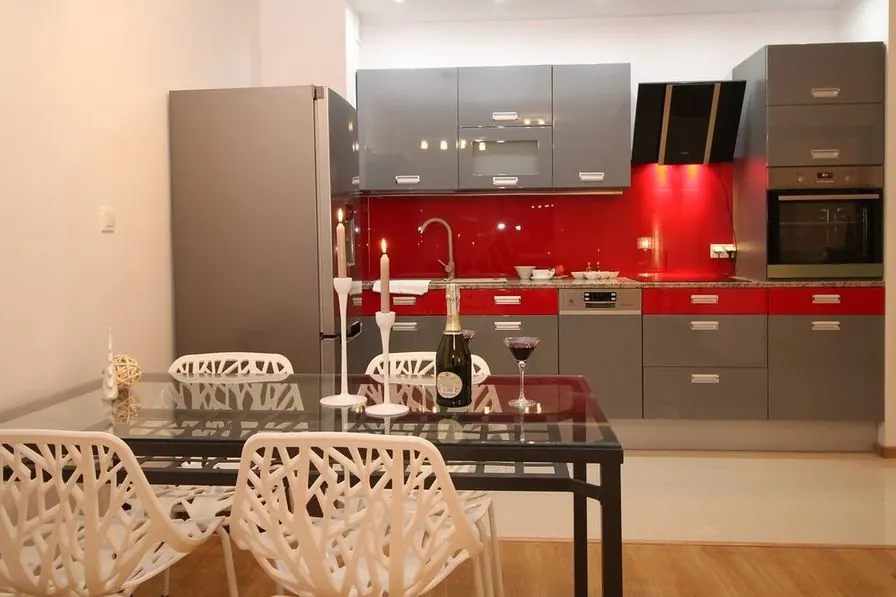 Before
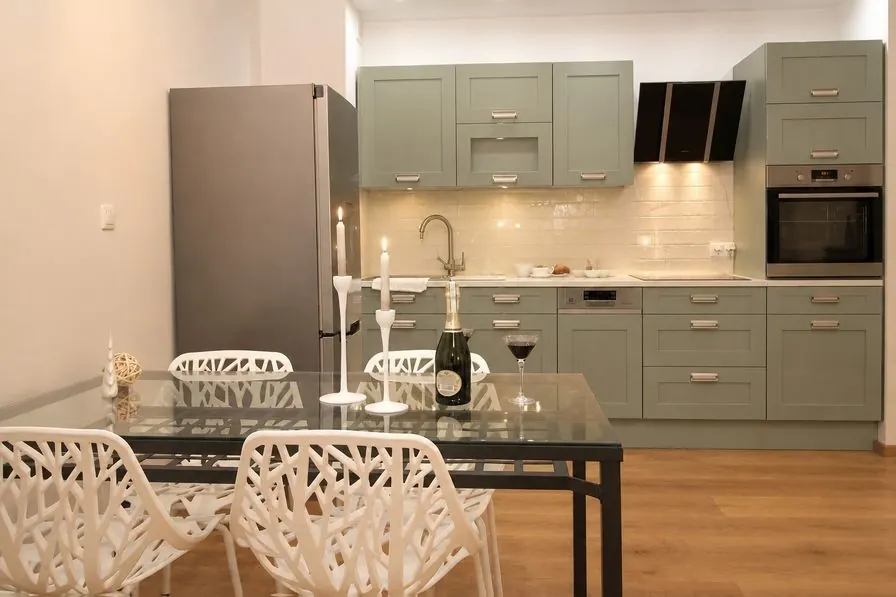 AI concept
Quick answer
Can AI redesign my kitchen from a photo?
Yes, as a refresh. Upload a photo of your kitchen and pick a direction. HomeGPT keeps the layout, the cabinet boxes, the window and the appliances where they are, and redraws the cabinet fronts, countertops, backsplash and floor, as two options with the paints and materials named, rough quantities and typical local prices. It does not move walls or plumbing: that is a job for a kitchen designer.
Real kitchens, refreshed by the AI
Real kitchen photos and the AI concept for each. Same layout, same appliances, new surfaces.
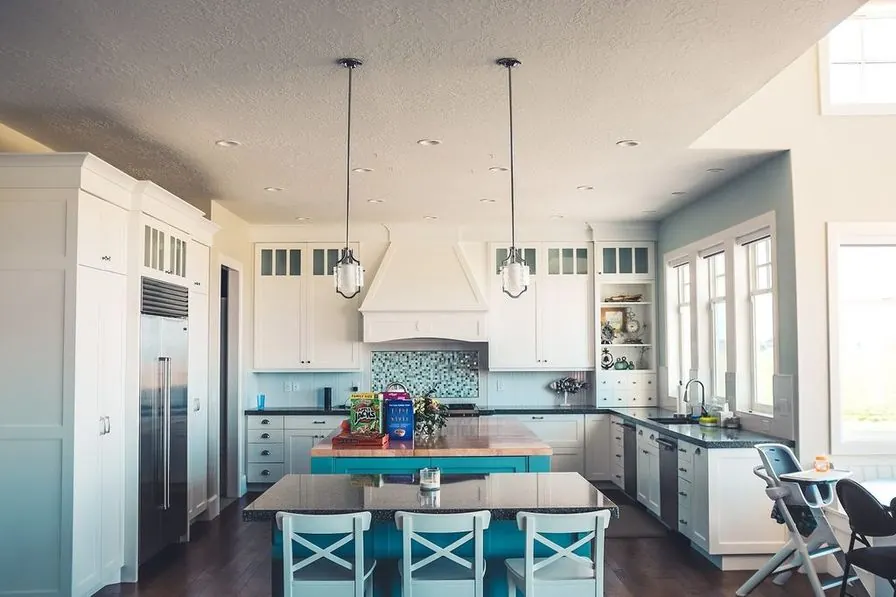 Before
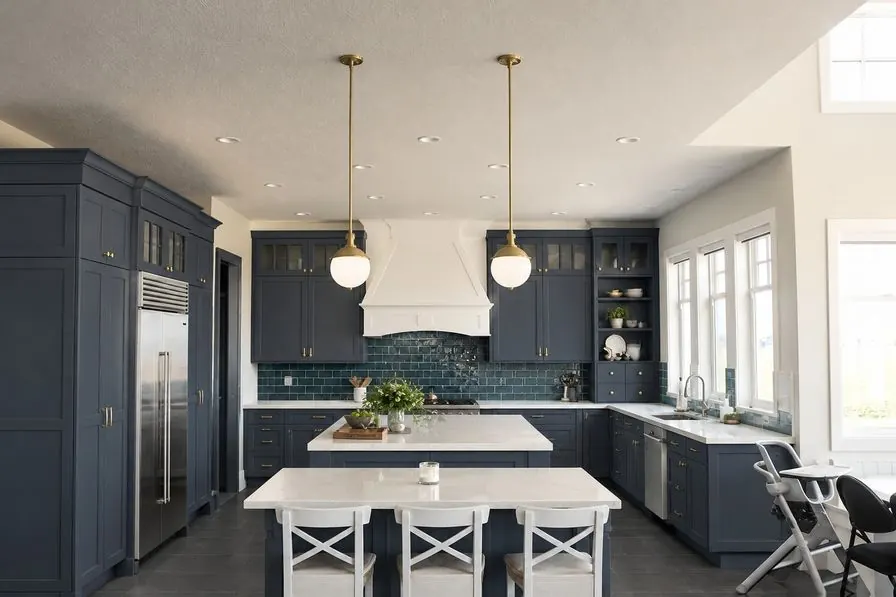 AI concept
Every example is a real photo and the result for it as it came out, judged blind before it went on this page.
How it works
- See it on your houseTwo options on a photo of your own home. Your windows, doors and roofline stay put.
- Know what it takesMaterials, rough quantities and a typical price range, with the source and date.
- Get it builtSend one brief to contractors so every quote covers the same work, and keep the whole project in one plan.
A refresh, not a rebuild
Most of the cost of a new kitchen is in what you cannot see: plumbing, wiring, cabinet boxes and labor. A refresh keeps all of that and changes the surfaces you look at every day. That is what the AI draws, so every concept is one you could actually do with new doors, new countertops, a new backsplash and a new floor.
- Changes: cabinet fronts and handles, countertops, backsplash tiles and the floor.
- Stays: the layout, the cabinet boxes, the window, the sink and faucet, and the appliances.
- Listed: each finish with its paint name and code or material, a rough quantity and a typical local price.
Cabinet colors that work
Sage and soft green
Calm with oak floors and brass handles; at home in traditional and cottage kitchens.
Deep blue
Navy or inky blue lowers with pale countertops make a classic, grounded kitchen.
Warm white
Bright and timeless. Pick a warm white so the room does not feel cold in north light.
Two tone
Dark lowers and light uppers keep a small kitchen open while hiding wear at foot level.
Painted fronts are the cheapest big change in a kitchen. In a refresh, each option names the paint or finish for the fronts with its brand code, so you can compare a painted look with new doors before you call a painter or a cabinet maker.
Countertops, backsplash and floor
Countertops
Quartz is hard wearing and consistent; laminate is the budget choice and has improved a lot; solid wood is warm but needs oiling; natural stone is beautiful and needs sealing. A pale countertop brightens a dark kitchen; a dark one grounds a pale one.
Backsplash
Tiles are where a kitchen can show character for little money. Handmade-look subway tiles suit traditional kitchens; large format slabs suit modern ones. Keep grout lines tidy and choose a grout color that hides cooking splashes.
Floor
Wood-look vinyl and porcelain are practical in kitchens; real wood needs care near the sink. A floor that runs into the next room makes both feel bigger.
What a kitchen refresh costs
A refresh typically costs a fraction of a full remodel, because the layout, plumbing and cabinet boxes stay. New fronts and handles, a laminate or quartz countertop, a tiled backsplash and a vinyl floor can each be priced separately, and each HomeGPT option shows a typical price range per item with its basis and date. Get two or three quotes for the work you choose, each priced item by item, so they can be compared line by line.
Take the right photo
Stand in the doorway or a corner so the cabinets, countertop and floor are all in frame, with the lights on and the blinds open. Clear the countertops if you can: the AI draws what it sees, including clutter.
Questions
Frequently asked questions
Is AI kitchen design free?
You get 2 free designs a day with no card and no watermark. Each design draws two options on your photo.
Will it change my kitchen layout?
No. The kitchen refresh keeps the layout, the cabinet boxes, the window and the appliances, and changes the surfaces: fronts, countertops, backsplash and floor.
Can it show paint colors on my cabinets?
Yes, as part of a refresh: each option names the paint or finish for the cabinet fronts with its brand code. The refresh also changes the countertops, backsplash and floor; untick any of them to keep it as it is and redraw.
How accurate are the costs?
They are typical local price ranges per item with their basis and date, to show roughly what each change takes. They are not quotes: prices vary by region, size and installer.
Can I use it for a small kitchen?
Yes. Small kitchens gain the most from light fronts, a pale countertop and a continuous floor. Photograph from the doorway so the whole run is in frame.
AI concepts, not quotes. Every price shows its basis and date. Your photo stays private.