AI Landscape Design: Free Yard Generator From a Photo
Upload a photo of your front yard or backyard, pick a landscape style and see a realistic design on your own yard. Planting beds, paths, lawn shape and edging are drawn onto your photo, so the house, fences and trees stay where they are.
Start with your photo
Job: Yard and gardenPhotograph the yard from the patio door or the street
- See it on your house
- Know what it takes
- Get it built
2 free designs a day · No watermark · No card needed
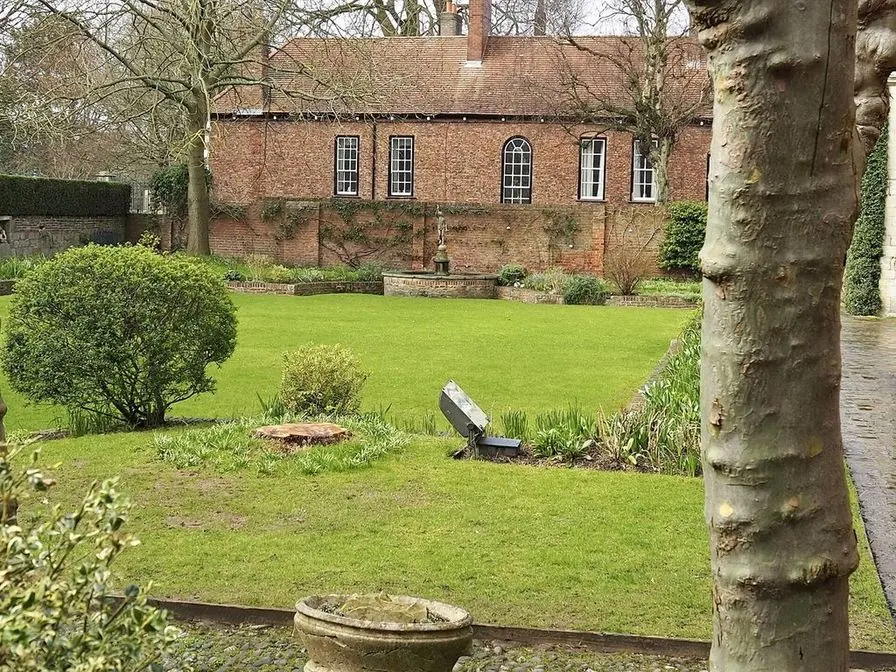 Before
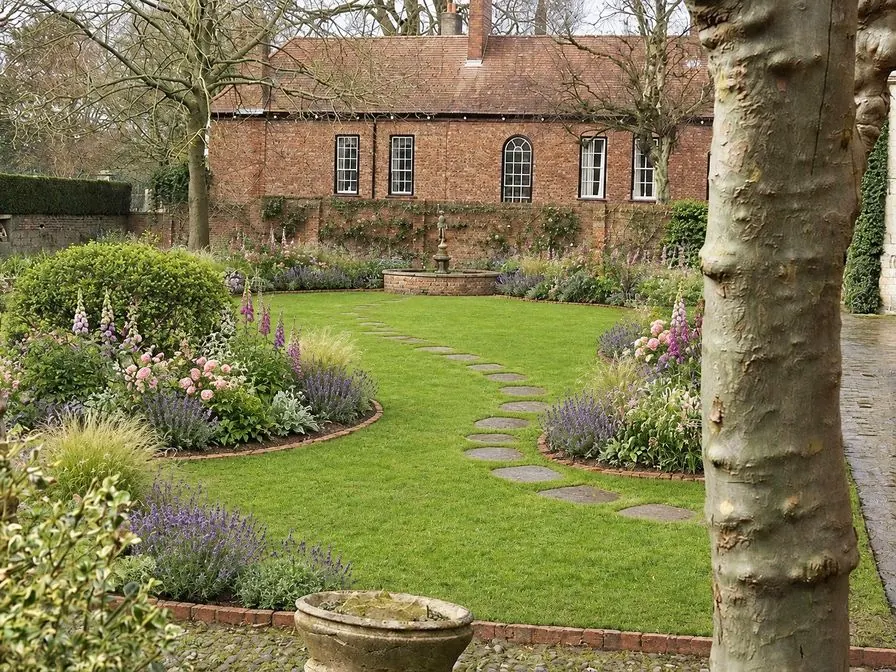 AI concept
Quick answer
Is there a free AI landscape design tool from a photo?
Yes. HomeGPT runs in the browser with no sign-up: upload a front yard or backyard photo, choose a style, and get two landscape concepts drawn on your own yard, each listing the plants and materials with rough quantities and typical local prices. The house, boundaries and mature trees stay put. Use it to settle the direction, then price it with the landscaping cost guide.
Front yard and backyard examples
Real yards re-planted by the AI: beds, borders, paths and lawn placed in the space that was actually there.
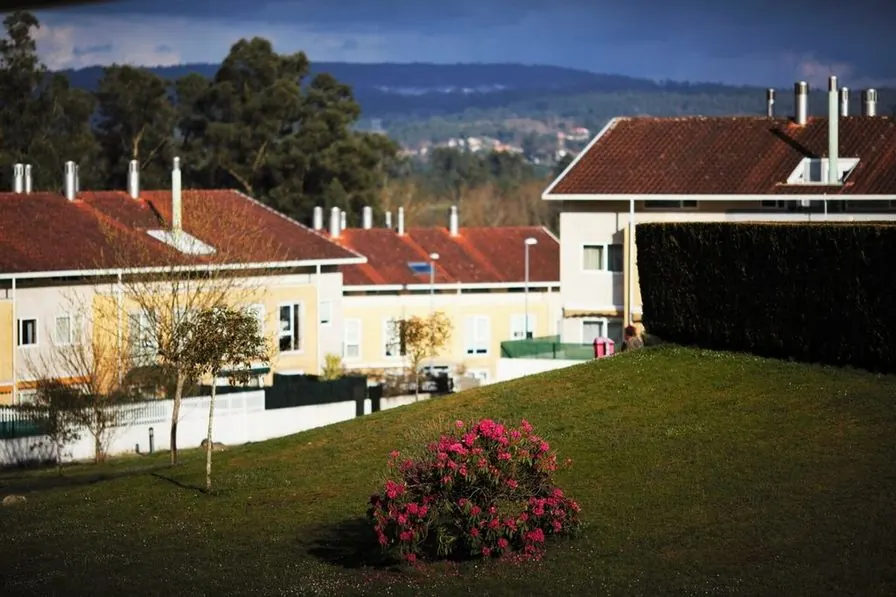 Before
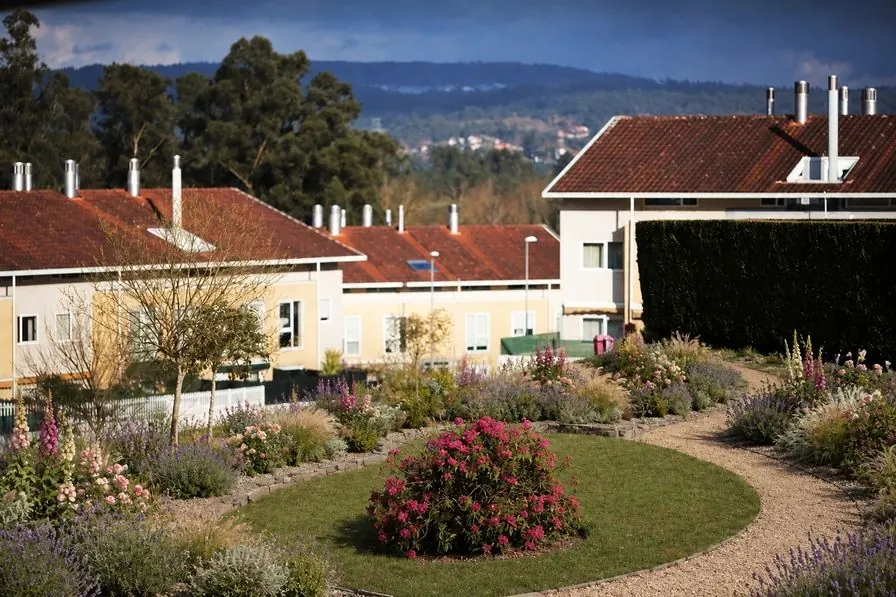 AI concept
Every example is a real photo and the result for it as it came out, judged blind before it went on this page.
How it works
- See it on your houseTwo options on a photo of your own home. Your windows, doors and roofline stay put.
- Know what it takesMaterials, rough quantities and a typical price range, with the source and date.
- Get it builtSend one brief to contractors so every quote covers the same work, and keep the whole project in one plan.
How AI landscape design works
Three steps from a phone photo to a concept you can show a landscaper.
Upload a yard photo
Front yard from the street, backyard from the patio door. Daylight, a level camera and the whole area in frame give the AI the most to work with. JPG, PNG, WEBP and HEIC from a phone all work.
Choose a landscape style
Pick one of the two styles that passed our blind tests on real yards: a cottage garden, or modern low-maintenance. Each comes with its own planting palette, path and edging materials, and a sense of how much upkeep it asks for.
Compare, pick, estimate
Compare the two options with your photo, untick anything you do not want and redraw with only your picks. When the direction is settled, the landscaping, mulch, gravel and sod calculators turn it into rough quantities.
Front yard AI landscape design
From the street, the front yard is half of curb appeal: foundation beds, a defined path to the door and a lawn with a crisp edge.
Photograph the front yard itself from the sidewalk or the porch steps, so the lawn, the beds and the walkway fill most of the frame. The AI re-plants inside the front boundary: layered evergreens and perennials, a clean edge along the path and edged beds, while the house, fence and gate stay as they are. A photo that is mostly the house front is read as a house, and HomeGPT offers its house jobs, such as new paint, instead.
Working on curb appeal specifically? The AI front yard design page covers walkways, planting beds and lawn alternatives in more depth.
Backyard AI landscape design
Backyard photos turned into planted outdoor spaces, with beds, paths and edging placed in the space that was actually there.
Shoot from the patio door or the far corner so the AI can see the whole space. Borders go along the boundaries, paths follow the way you already walk, and the lawn gets a shape that is easy to mow. Mature trees, sheds and any pool or pond are kept exactly as they are.
Planning patios, decks or a fire pit too? See AI backyard design.
Landscape design styles
Six directions people search for, and what each one means on the ground. HomeGPT draws two of them on your photo today, the ones that passed its blind tests on real yards: cottage, and modern as its modern low-maintenance style. Take the other four to a landscaper as directions.
Modern landscape design
Clipped evergreens, ornamental grasses, straight paths and a restrained palette. On HomeGPT: modern low-maintenance, with large pale paving and raised beds.
Cottage landscape design
Loose perennial borders, stepping stones, climbers and color through the season. On HomeGPT: cottage garden.
Xeriscape landscape design
Gravel, boulders, succulents and drought-tolerant planting with little or no lawn.
Native planting landscape design
Naturalistic drifts of regional plants for pollinators and low maintenance.
Mediterranean landscape design
Terracotta, gravel, olives, lavender and shaded seating.
Japanese landscape design
Stone, moss, maples, raked gravel and quiet framed views.
What to plan before you build
Front yard curb appeal
Use a straight-on street photo to compare foundation planting, walkway borders, lawn alternatives and entry lighting before you buy plants.
Backyard zones
Test where beds, gravel areas, privacy planting and a seating corner should sit before estimating materials.
Hardscape and planting budget
Once the concept looks right, use the landscaping, lawn, patio, gravel, mulch and paver calculators to estimate the project scope.
Read your site before you design
Every good landscape plan starts with a walk around the yard. Note where the sun falls through the day, where water collects after rain, which way the ground slopes and what the soil feels like. Mark what you want to keep: mature trees, a hedge that screens a neighbor, a path that works. These are the fixed points; the design happens around them.
Then decide how you want to use the space: somewhere to eat, somewhere for children to play, a vegetable bed, a quiet corner. A concept on your own photo is the quickest way to test whether those uses fit before anyone digs.
Lawn, or alternatives to lawn
A lawn is the cheapest surface to lay and the most work to keep. In dry regions, a smaller lawn with gravel and drought-tolerant planting around it saves water and mowing. In shade, where grass thins, a woodland bed of ferns and ground cover looks better than a patchy lawn. Clover and low-growing ground covers are softer options for areas that get little foot traffic.
If you keep the lawn, give it a clean shape and a crisp edge, and estimate turf or seed with the sod calculator. The sod cost guide gives 2026 prices per square foot.
Plan for the upkeep you want
Be honest about how much time the garden will get. A cottage garden needs regular deadheading and dividing; a modern scheme of clipped evergreens and grasses needs a trim twice a year; a gravel garden with drought-tolerant plants needs little more than weeding. Mulch every bed to keep weeds down and moisture in, and use the mulch calculator to order the right amount.
Hardscape that ties it together
Planting gives a yard its character; paths, edges and walls give it its shape. A path should be at least wide enough for one person with a wheelbarrow, and wider where two people walk side by side. Edging between lawn and beds (steel, brick or stone) saves hours of trimming and keeps the lines crisp. On a slope, low retaining walls or steps create level terraces that are easier to plant and to use.
Keep materials to two or three that echo the house: the brick of the walls in a path edge, the stone of the steps in a gravel color. Estimate them with the paver and gravel calculators, and see the retaining wall cost guide before you build on a slope.
Best AI for landscape design: how HomeGPT compares
"AI landscape design" covers very different products: instant photo generators, catalog apps you arrange yourself, human design services and 3D planners. This is what each one gives you, so you can pick by the result you need rather than the label.
HomeGPT
Best for testing directions on your own yard before you spend anything. A concept on your own photo, with the plants and materials listed and roughly priced, and a brief you can send to a landscaper.
Yardzen
Best for a full professional plan when you are ready to build. A paid design package from a design team, with planting plans and revisions.
iScape
Best for hands-on placement of specific plants and products. You place catalog items on a photo yourself.
Planting planners
Best for choosing and scheduling plants once the layout is settled: care reminders, light needs and spacing.
Planner 5D
Best for exact dimensions and an editable plan, drawn in 2D or 3D rather than on a photo.
Competitor details are summarized from each provider’s public pages and change often, so check the provider directly for current pricing and free allowances. For a wider roundup that includes interior and whole-home apps, see the best AI home design apps comparison.
Designing from your phone? The landscape design app page covers the browser and the iPhone and Android app side by side, with tips for photographing a yard.
What landscaping costs in 2026
Planting and mulch are the cheapest way to change a yard; paths, edging and lawn renovation come next; patios, retaining walls and structures cost the most. The landscaping cost guide and the gravel cost guide give current ranges, and the retaining wall calculator helps on sloping sites. Every HomeGPT option shows a typical range for each item with its basis and date, so you can see which change carries the cost.
Questions
AI landscape design FAQ
Is there a free AI landscape design tool with no sign-up?
Yes. HomeGPT is a free AI landscape design generator that runs in the browser. Upload a photo of your front yard or backyard, choose a style and get a concept without creating an account or entering a card. A free account is only needed to save a project or share a brief.
How does AI landscape design from a photo work?
The AI uses your photo as the base, so the house, fence lines, slope and existing trees stay where they are. It plans the changes first, then re-plants the yard in the style you chose: lawn shape, planting beds, paths and edging. Treat the result as a visual concept to refine with a landscaper, not a planting plan with exact species and spacing.
What is the best AI for landscape design?
It depends on what you need back. For a fast, free concept on a photo of your own yard, a photo-based generator like HomeGPT is the quickest route and needs no account. Yardzen sells full design packages produced by a design team, iScape lets you place catalog plants and pavers on a photo yourself, planting planner apps help you choose and schedule plants, and Planner 5D is for drawing a measured 2D or 3D plan.
Can I design both a front yard and a backyard?
Yes. For a front yard, photograph the yard itself from the sidewalk or the porch steps so the lawn, beds and walkway fill most of the frame; a photo that is mostly the house front gets the house jobs instead. For a backyard, shoot from the patio door or the far corner so the AI can place beds, privacy planting and paths in the space you actually have.
Which landscape styles can the AI generate?
Two styles that passed blind tests on real yards: cottage garden, and modern low-maintenance. The six directions on this page explain what each popular style means in practice; xeriscape, native, Mediterranean and Japanese are directions to discuss with a landscaper, not styles HomeGPT draws.
Is there an AI landscape design app?
You do not need to install anything: the generator runs in a phone or desktop browser, so you can photograph the yard and upload it on the spot. The free HomeGPT app for iPhone, iPad and Android runs landscape and exterior design from your camera roll too.
How much does landscaping cost?
Planting and mulch are the cheapest changes, paths and lawn renovation come next, and patios, walls and structures cost the most. Each HomeGPT option lists a typical local price range for every item with its basis and date, and the landscaping cost guide gives 2026 ranges.
AI concepts, not quotes. Every price shows its basis and date. Your photo stays private.