Reimagine your home from one photo
Upload one photo of your room, exterior, yard or patio, pick what you are changing, and preview a realistic redesign on your own space, free and with no account to start.
Start with your photo
Upload a room, the front of your house, a yard or a patio
- See it on your house
- Know what it takes
- Get it built
2 free designs a day · No watermark · No card needed
Or pick what you are changing first
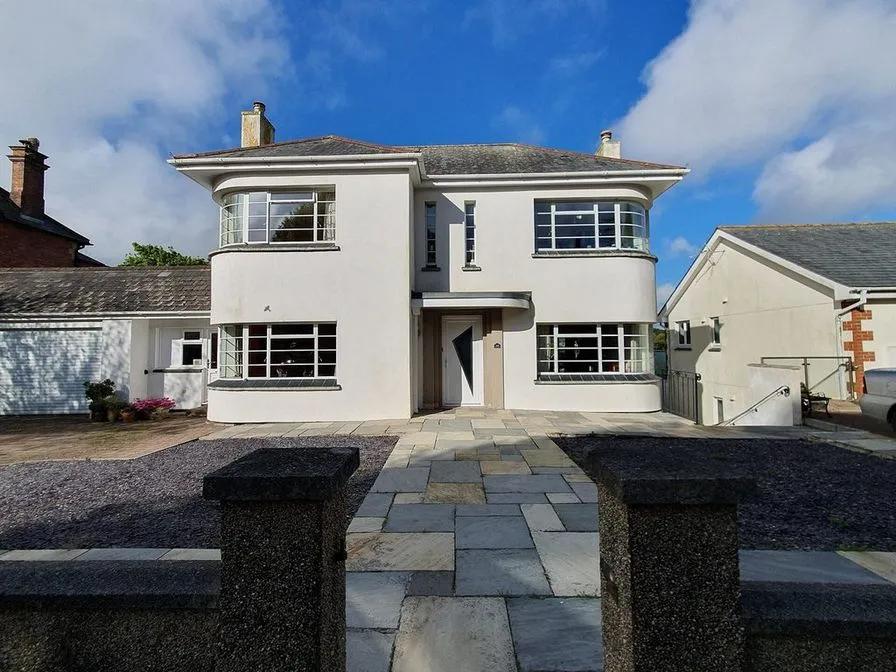 Before
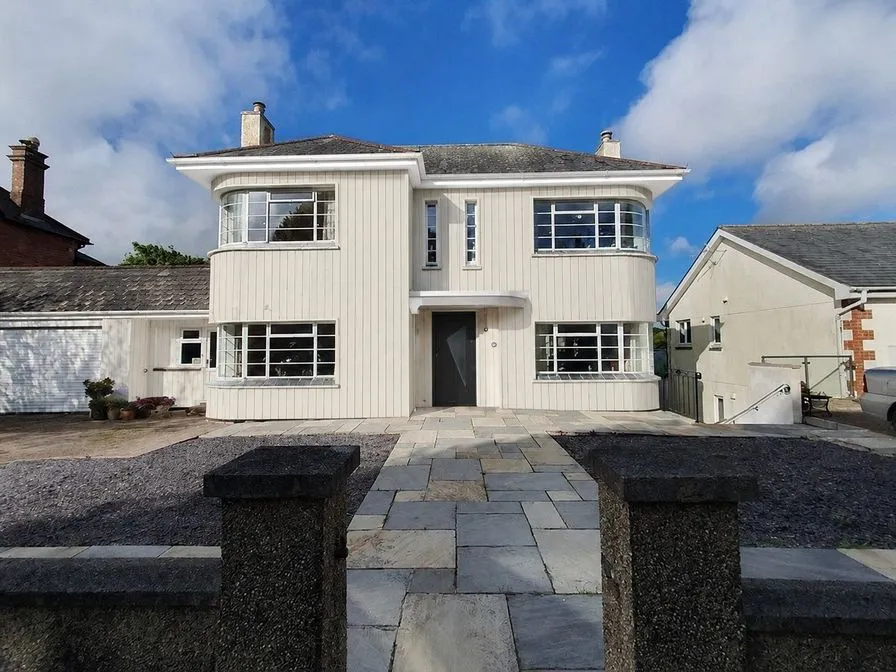 AI concept
Quick answer
Can I use free AI home design without login?
Yes. Upload a room, home exterior, garden, yard, patio or front elevation photo and see two design options before creating an account: 2 free designs a day, with no card and no watermark. A free account is only needed to save a project or share a brief. Not sure where to start? Read the AI home redesign guide.
Before and after, from one photo
Real photos and the AI concept for each: a house front reclad and a bedroom restyled, with the structure kept.
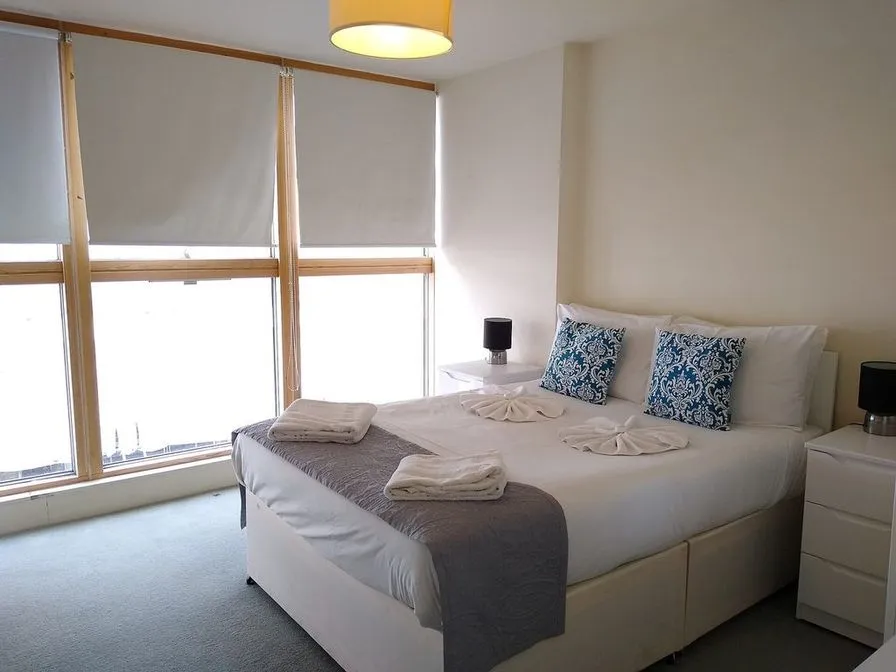 Before
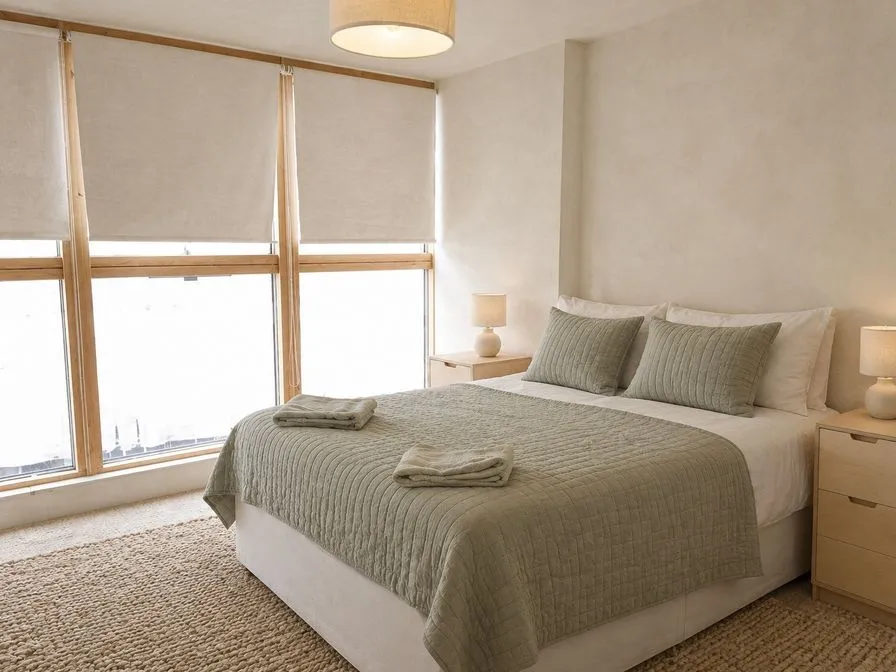 AI concept
Every example is a real photo and the result for it as it came out, judged blind before it went on this page.
How it works
- See it on your houseTwo options on a photo of your own home. Your windows, doors and roofline stay put.
- Know what it takesMaterials, rough quantities and a typical price range, with the source and date.
- Get it builtSend one brief to contractors so every quote covers the same work, and keep the whole project in one plan.
What you can plan with home design AI
Exterior updates
Preview new siding, paint contrast, trim, wall lights and front planting. Start from AI exterior design.
Garden and yard layouts
Compare planting, paths, edging, paving, decking and fence finishes. Start from AI garden design.
Kitchens and rooms
Refresh kitchen and bathroom surfaces, or give a living room or bedroom a new look. Start from AI room design.
Next-step estimates
After choosing a direction, use the material calculators for siding, paint, patios, decks, lawns, fences and landscaping.
See finished work in the before-and-after examples, and the planning tools and calculators for the numbers.
Start from a focused AI tool
Each of these pages starts the same upload with its own job and explains the project in depth.
- AI Exterior Design, AI Elevation Design and AI Curb Appeal for the front of the house.
- AI Paint Visualizer to change paint colors only.
- AI Garden Design, AI Landscape Design, AI Backyard Design and AI Front Yard Design for planting, paths and lawn.
- AI Patio Design, AI Deck Design, AI Fence Design, AI Pergola Design, AI Driveway Design and AI Pool Design for outdoor living.
- AI Room Makeover for kitchens, bathrooms and living rooms.
- 2D & 3D Property Planner for measured layouts in 2D and 3D.
- All AI tools in one place.
See your remodel before you spend on it
One photo is enough to explore renovation ideas for your house interior, exterior, front elevation, yard or patio. Upload, pick what you are changing, choose a style or direction, and compare two concepts against the space you actually have, before you commit money to drawings, materials or contractor estimates.
What you can redesign from one photo
Kitchens, bathrooms, living rooms, bedrooms, exteriors, patios and gardens all start from the same upload. HomeGPT reads the photo, suggests the jobs it can do with it, and draws two options that keep your property recognizable while testing a new direction for materials, colors and planting.
How to photograph your space for a better result
Stand back far enough to fit the whole facade, room or yard in frame, shoot straight on rather than at an angle, and prefer daylight over dusk. Sharp, well-lit photos give the AI clean lines to work from; blurry or heavily angled photos produce muddier concepts.
Keep what matters unchanged
Every job keeps the structure: rooflines, windows and doors, the layout and footprint, mature trees and the camera viewpoint. Each option lists exactly what it changes, so you can untick anything you would rather keep and redraw.
From concept to project plan
A design concept is the first step, not the last. Keep the option you like, and the plan totals rough quantities and typical prices with their source and date. Send one brief to contractors, or use the free calculators to estimate siding, decking, fencing, concrete and planting before you talk to them.
Garden and landscape
Pick the yard and garden job to work on planting, paths, beds and lawn edges separately from the house, or the patio, deck and fence job for the hard surfaces. It suits front yard refreshes, backyard makeovers and patio planning.
Your photos stay yours
Starting is free and needs no account. Your photo is used only to create the design you asked for; saving a project is optional and needs a free account.
Older links to this page still work
Links that open this page with a space or project, such as a garden, a room, a deck or a siding project, start the matching job here: pick a photo and setup opens with it. Styles and directions are chosen at setup, after the photo is read.
Compare HomeGPT with other tools: Remodel AI alternative, Renovate AI alternative. Or go back to the HomeGPT home design overview.
Questions
Design tool FAQ
Can I use free AI home design without login?
Yes. You can upload a room, home exterior, garden, yard, patio or front elevation photo and see AI design options before creating an account. An account is free and only needed to save a project or share a brief.
What types of spaces can I redesign with home design AI?
The design tool works with kitchens, bathrooms, living rooms, bedrooms, home exteriors, gardens, patios and yards. It reads your photo and offers the jobs that suit it.
Can I use HomeGPT for AI house design?
Yes. Upload a clear house exterior photo to test AI house design ideas for new siding, trim, wall lights, front planting, paint colors and front elevation balance.
Is HomeGPT useful for renovate AI and remodel AI searches?
Yes. HomeGPT is built for early renovation and remodel planning when you want realistic exterior, patio, yard, garden, kitchen and bathroom concepts, with what each change takes, before committing to materials.
What is the difference between the house and garden jobs?
House jobs work on the facade: a whole new look in a style, a repaint, or new siding. Garden jobs work on the yard: planting, paths, edging and lawn, or paving, decking and fence finishes. Each keeps the parts it does not list exactly as they are.
Can I save my designs?
Yes. Create a free account to save a project, keep it across devices and share a brief with a contractor. You can also send a vote link so the family can pick between the two options.
How accurate are the AI-generated designs?
The AI keeps the structure and proportions of your space while applying the changes it lists. Results are photorealistic concepts for planning conversations with contractors or family, and every price shows its basis and date.
Can I try multiple styles on the same photo?
Yes. Every design already draws two options side by side. To try another style or direction, start a new design with the same photo and compare them.
AI concepts, not quotes. Every price shows its basis and date. Your photo stays private.