AI Home Exterior Design Free
Upload a photo of your house and see new siding, paint, trim, windows or porch ideas drawn onto it.
- 2 free designs a day
- No account
- No watermark
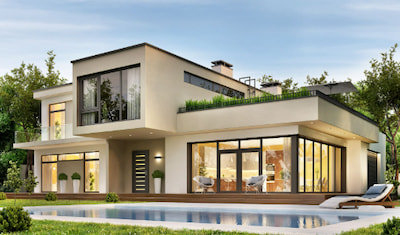 Original exterior
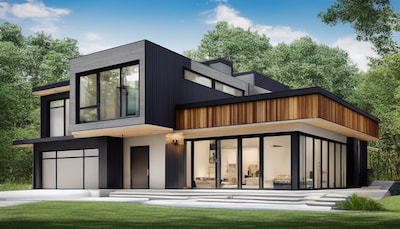 AI redesign
See the Transformation
Two more real before-and-after pairs. Upload a photo of your own home exterior and a concept usually takes about a minute.
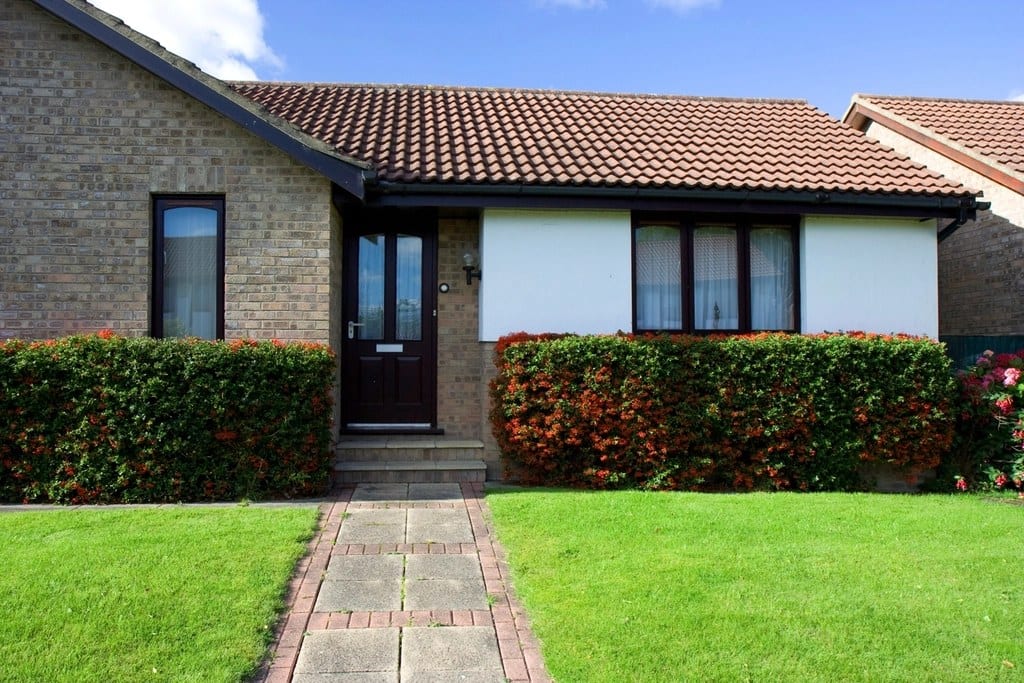 Before
A brick bungalow with a tiled roof and clipped hedges
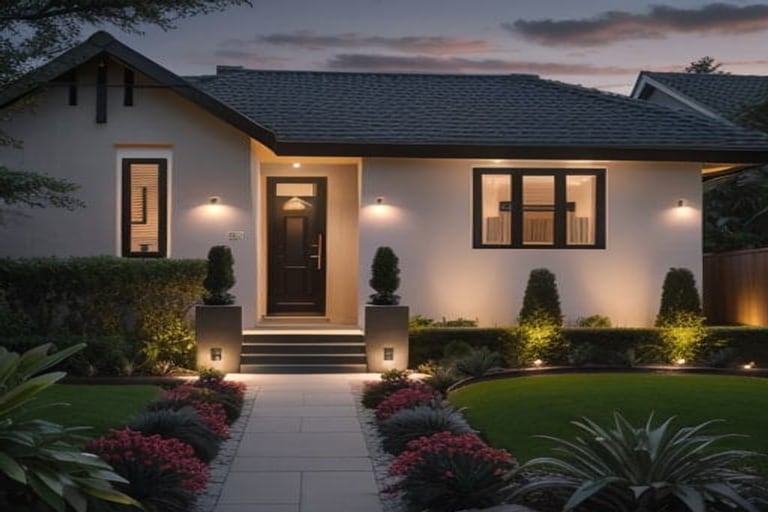 AI concept · Contemporary
Same roofline and openings, rendered white with black frames and layered planting
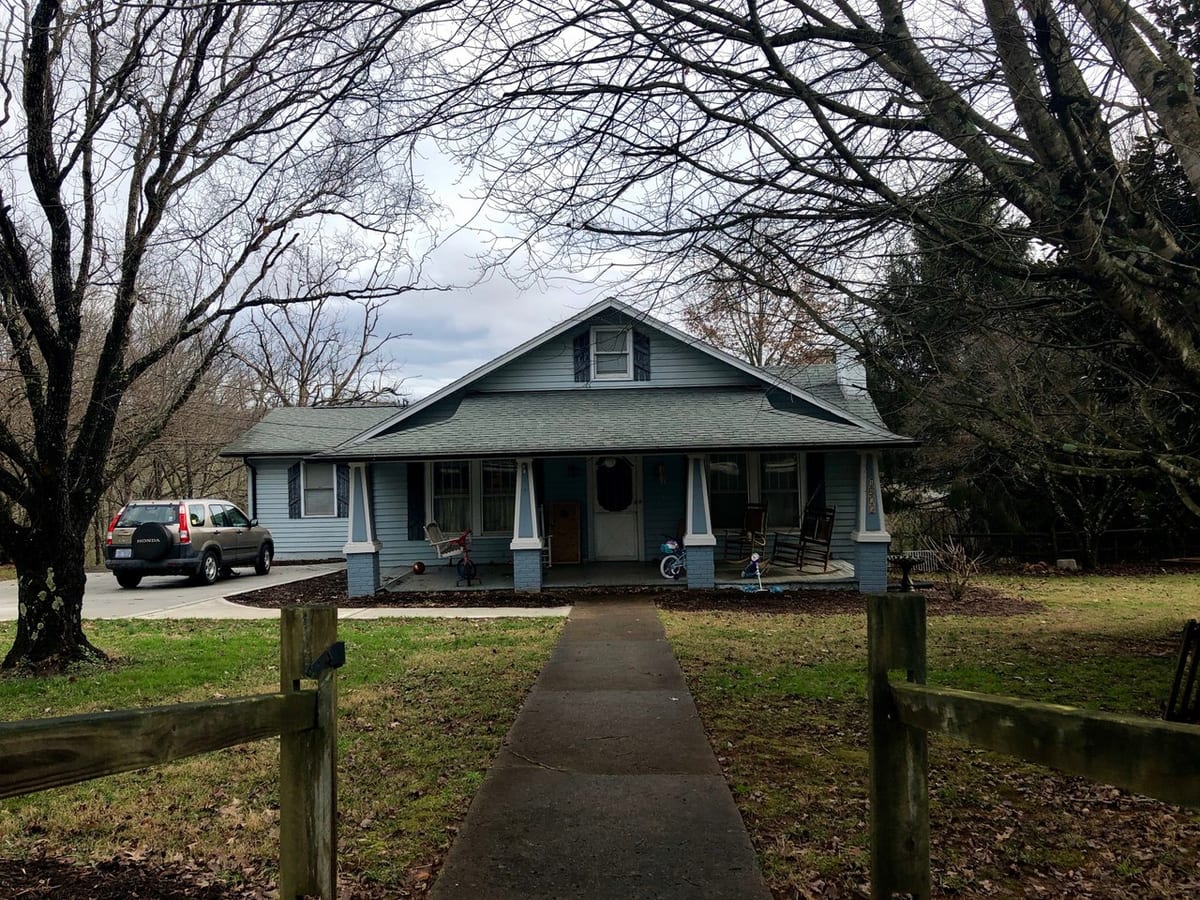 Before
A blue Craftsman with a cluttered porch and a car in the drive
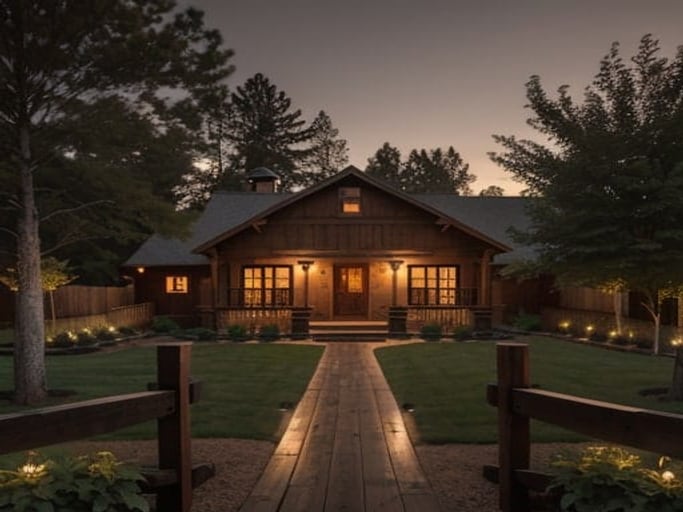 AI concept · Farmhouse
Board siding, a lit porch and a planted path on the same footprint
From AI house exterior design to a practical project
Use this page for the broad exterior concept, then refine paint, curb appeal, siding, and material estimates with focused HomeGPT tools.
Virtually paint your house exterior
Test siding, trim, front door, shutter, brick, and stucco colors before buying paint samples.
Plan curb appeal upgrades
Preview paint, planting, lighting, front door, walkway, and porch updates from the street view.
Estimate siding and paint
Move from the AI concept to rough material quantities for siding or exterior paint.
Start with a color
Five paint directions for your own house
Choose a starting color to open the exterior paint visualizer with it applied to the siding. Upload your house photo (or try the sample house), change the surface if you like, then compare the result with the original.
Warm white
White Dove
Try this colorDeep blue
Hale Navy
Try this colorWarm neutral
Revere Pewter
Try this colorCharcoal
Kendall Charcoal
Try this colorSoft white
Alabaster
Try this color
Screen colors and AI previews are approximate. Compare physical samples on your house in different light before buying paint.
Exterior Design Styles
Choose from 70+ architectural styles. Tap one to open the tool with it selected.
Design Every Part of Your Home's Exterior
Facade, roof, porch, driveway, garden and backyard — one photo-based tool covers the whole outside of the house.
Home Exteriors
Transform your home facade with new siding, paint colors, windows, and architectural details.
Gardens & Landscaping
Reimagine your garden with new plants, pathways, lighting, and landscape features.
Patios & Decks
Visualize outdoor living spaces with new furniture, materials, and design elements.
Driveways & Walkways
See how different materials and designs could transform your outdoor pathways.
How It Works
- 1
Upload Exterior Photo
Take a photo of your home exterior, garden, patio, or any outdoor space.
- 2
Select Your Style
Choose Modern, Farmhouse, Mediterranean, or any of 70+ exterior styles.
- 3
Get AI Design
A photorealistic concept of your exterior usually takes about a minute.
AI front elevation design from a photo
An elevation is a building seen flat on from one side, and the front elevation is the face your street sees. Photograph that face straight on with the whole front in frame, and the AI redraws its surfaces while keeping the building's outline and proportions, as far as a photo-based model can, so the concept still reads as your house.
What the AI redraws
- Cladding and wall finish — render, stone, brick, timber, tile or panel
- Color blocking: which masses read light, which read dark, where the accent lands
- Window and door framing, grilles, and the depth of the reveals
- Balcony railings, parapets, canopies and the treatment around the entrance
- Boundary wall, gate, driveway and planting caught in the same frame
What the AI keeps
- The building outline: footprint, floor heights and roofline
- Where the windows, doors and garage sit across the facade
- The number of floors and the main projections and setbacks
Holding the outline is the point of working from a photo: the concept still reads as your house, so a builder can tell what you are asking for. Small details can still shift between renders, so mark the elements you want preserved before generating.
Single story, double story (G+1) and duplex
Whatever is in the photo is what gets redesigned, so a single-story bungalow, a double-story house (G+1 on an Indian plan), a duplex or a row house sharing its side walls all work the same way. Taller and wider fronts just need more distance: step back across the road instead of tilting the camera upwards, because a steep angle stretches the upper floor and the concept copies that distortion.
How it compares with a 3D elevation drawing
A 3D elevation from an architect carries dimensions, levels and material specifications a contractor can build from and an authority can approve. This is not that. It is a photo-based concept of how a finished facade could look, and its job is to settle the direction — material, color, the balance of solid to glass — before anyone draws anything. Structure, working drawings and approvals stay with your architect or builder.
Plenty of people look for this as an “AI elevation generator” — same job, different name. The AI elevation design page covers it with elevation-specific styles, or you can start from your own photo here.
Exterior color combinations for your house
A scheme is three decisions rather than one: a body color across most of the walls, a trim color on fascias, frames and eaves, and an accent for the front door, shutters or railings. What decides the outcome is the proportion between those three at full size, which is the one thing a paint chip cannot show you.
Farmhouse and cottage
Warm white body, black window frames, a wood-tone door. A sage or olive body with cream trim is the way to stand apart from the white-farmhouse crowd.
Colonial and traditional two-story
A light body — warm white, pale grey, soft yellow — with crisp white trim and dark shutters in black, navy or deep green. Symmetry is the whole argument, so keep it to three disciplined colors.
Craftsman bungalow
Olive or sage walls, cream trim, and a terracotta or oxblood door, with rafter tails and brackets picked out in the trim color.
Modern and contemporary
One or two colors at most: charcoal or warm white walls with black frames, letting wood, metal and stucco supply the contrast instead.
Whole schemes on your house, not swatches
A chip tells you about the paint, not about the house. A charcoal that looks rich on a two-foot sample can feel heavy across an entire facade, and trim contrast that seemed subtle at that size can turn the front stripey at full scale. Picking a style here applies a complete body, trim and accent combination to your own photo, next to the things you are not repainting — roof tiles, brick plinth, driveway, planting — which is usually what settles the argument.
Then check it in real light
A render gives you a direction, not a color match: screens and paint are different materials, north light cools a color and afternoon sun washes it out. Narrow the field to two combinations here, then confirm with sample pots on the wall, looked at morning and evening, before buying anything. The exterior house colors guide goes through this year's palettes in more detail.
Exterior paint visualizer
Color only: siding, brick, stucco, trim, front door and shutters repainted, with the rest of the facade left alone.
Exterior color picker
Browse real exterior colors from the major paint brands, then carry the one you like into the visualizer.
Color palette generator
Start from a color you cannot change — roof tile, brick, stone — and build complementary, analogous or triadic partners around it.
Why Use AI for Exterior Design
Ideas From Your Photo
A concept of your own exterior usually takes about a minute.
Try Before You Buy
Visualize changes before spending money on contractors.
Boost Curb Appeal
Discover styles that maximize your home value.
Complete Outdoor Design
Design facades, gardens, patios, and more.
Free to Start
No signup and no credit card to try your first designs.
High-Quality Renders
Get photorealistic visualizations you can share.
Frequently Asked Questions
More questions (9)
Related reading: comparing tools first? Compare 10 free AI exterior design tools and their current limits, checked in August 2026.
Plan this project
Everything for this project in one place: preview it with AI, estimate the materials, then read what it costs.
Visualize with AI
Preview the idea on a photo of your own home.
Plan and estimate
Turn the concept into material quantities.
Read before you build
Real 2026 price ranges and ideas.
Ready to Transform Your Home's Exterior?
Upload a photo of your home and see the possibilities with free AI exterior design.
Start Designing Free